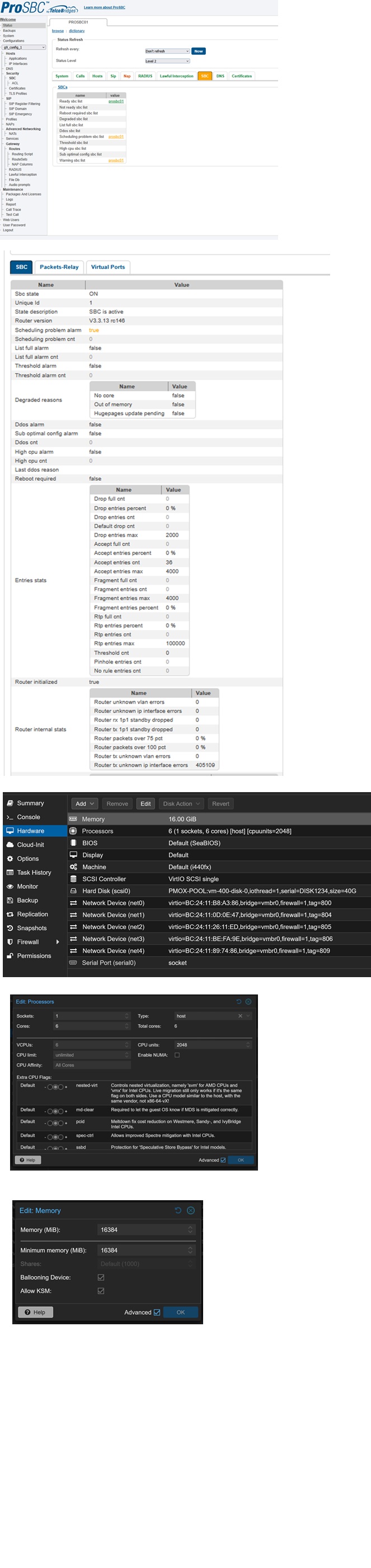
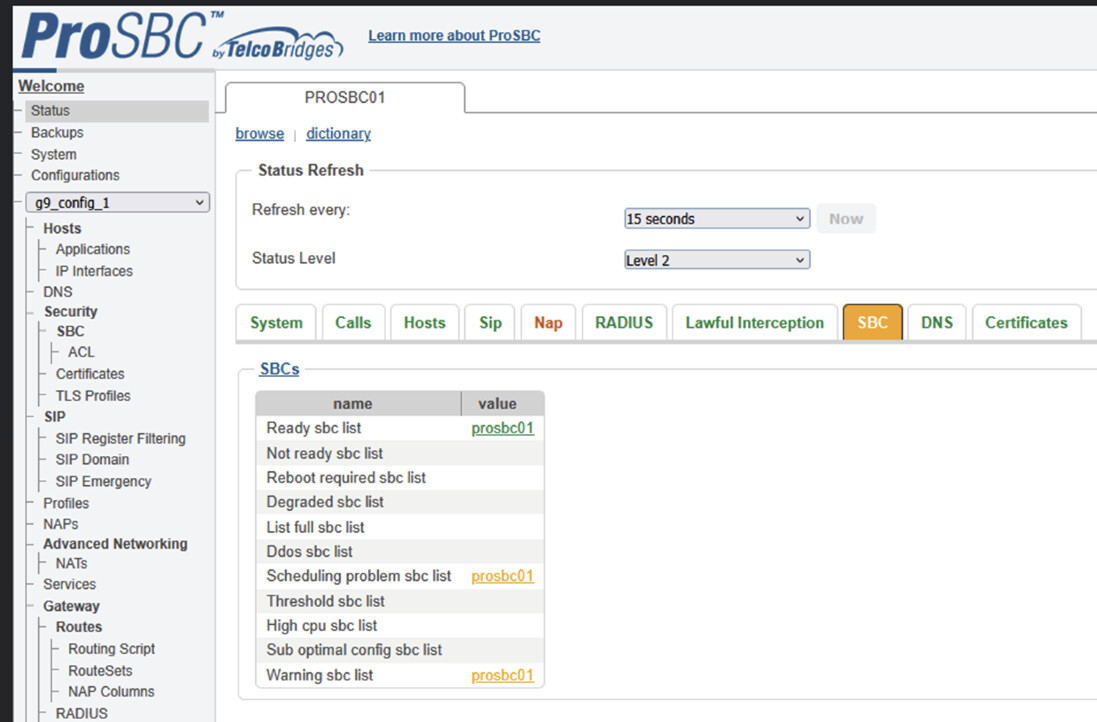
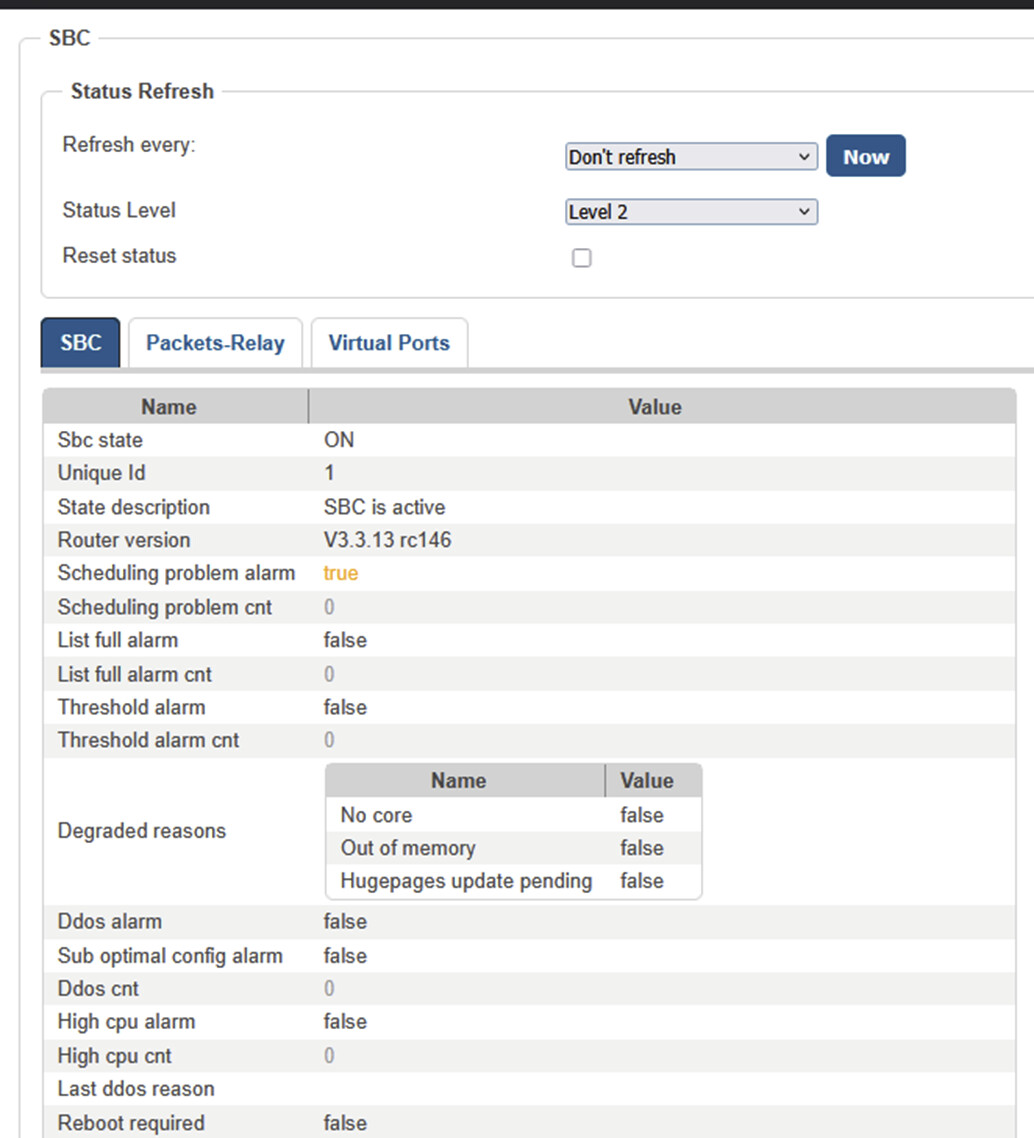
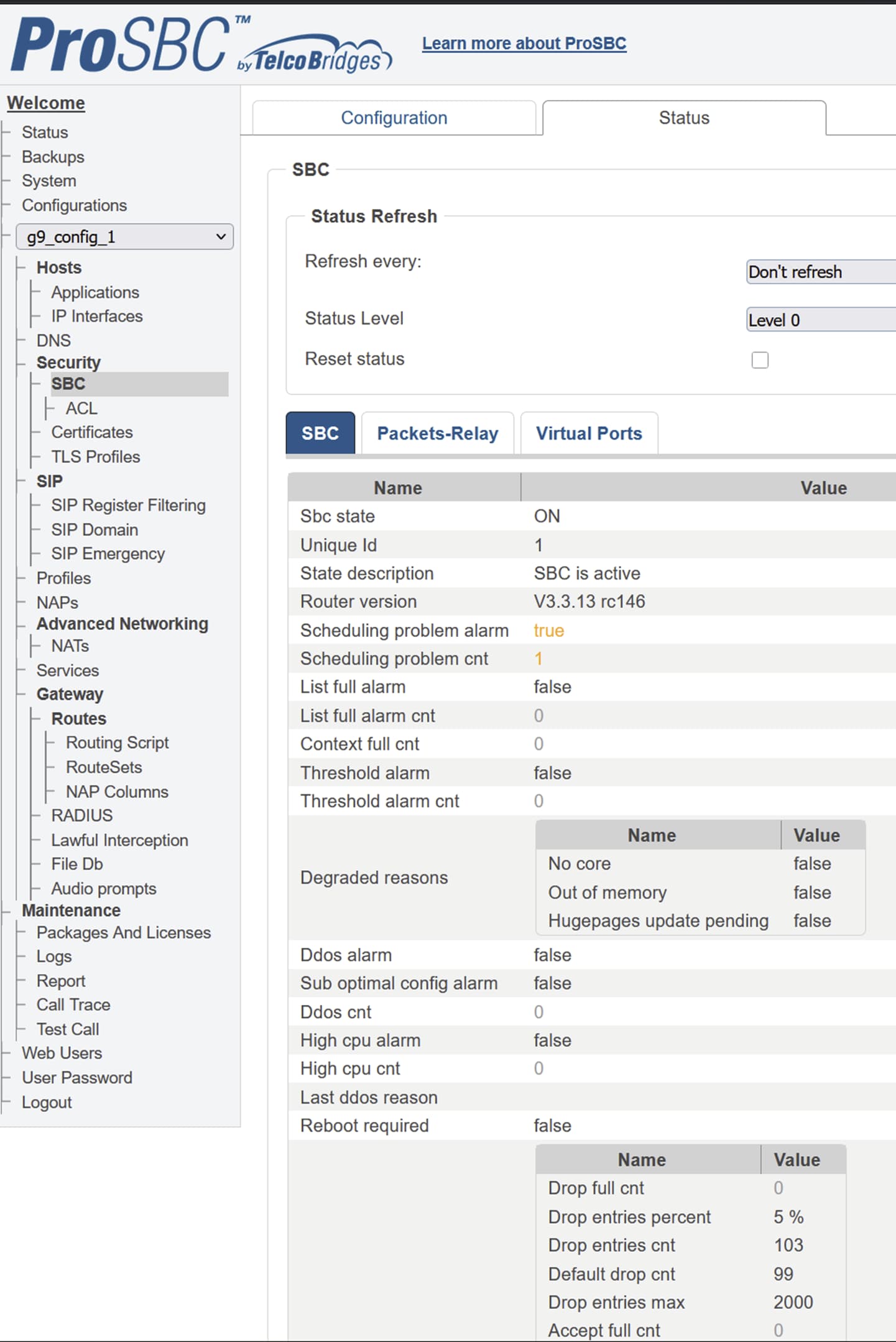
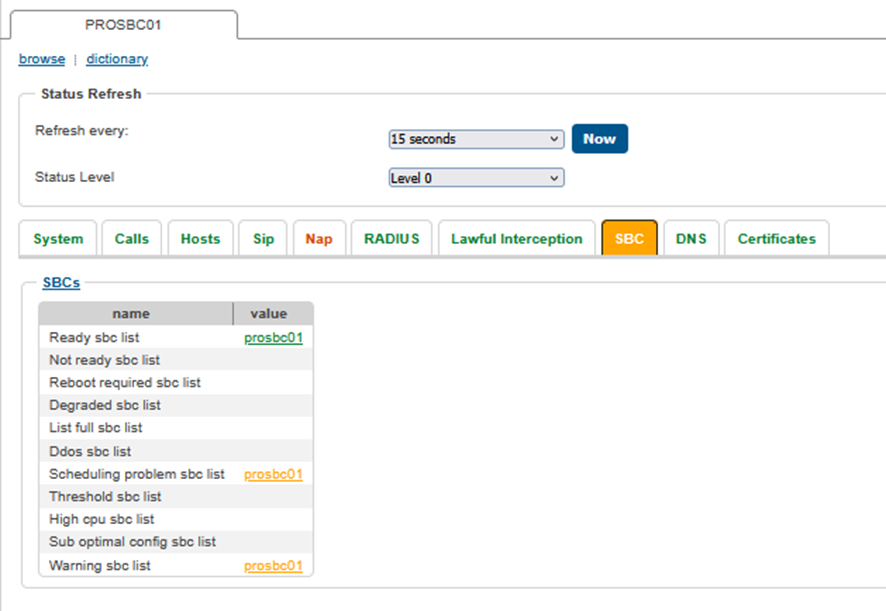
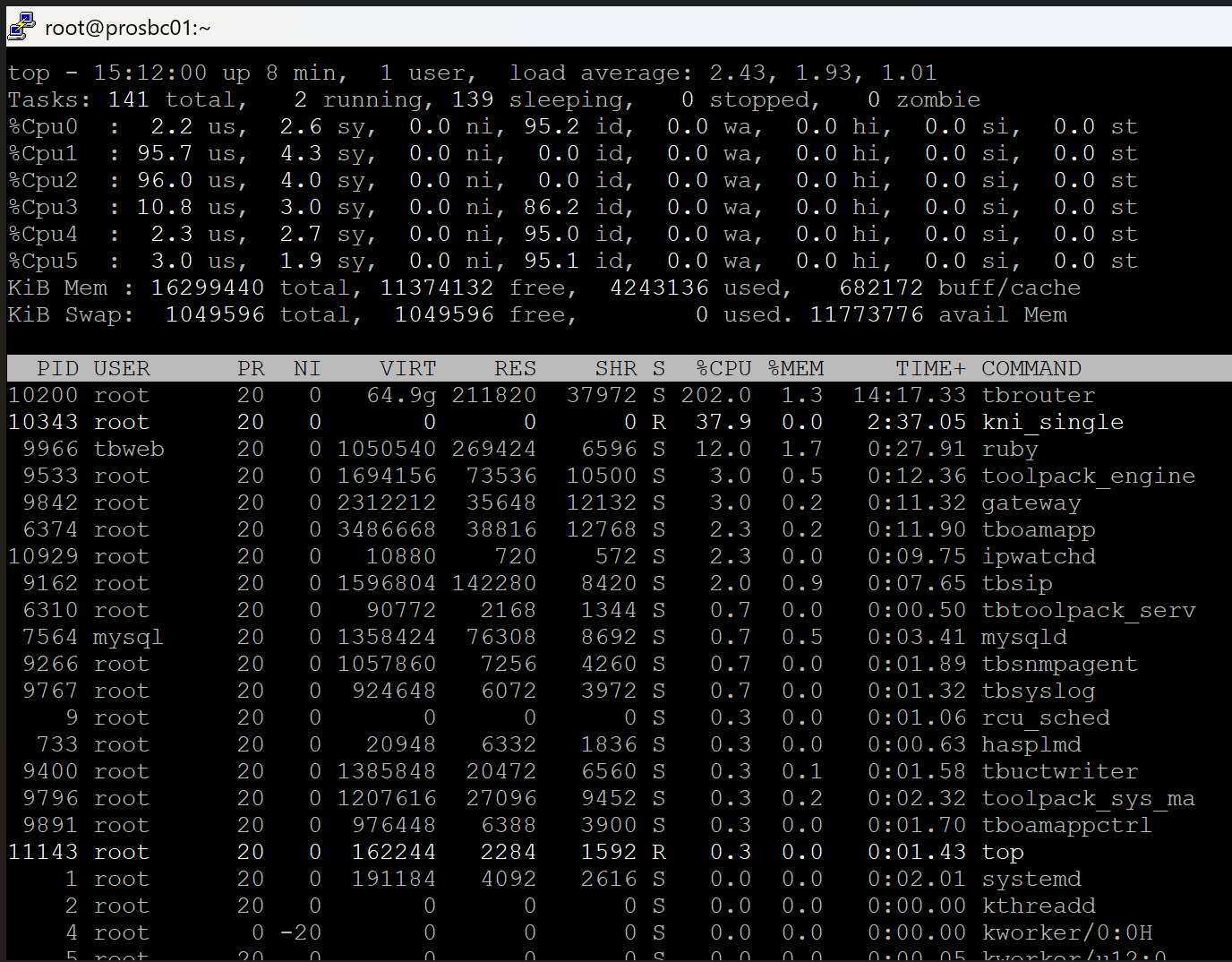
We have this constant error: Scheduling problem alarm = true.
- SBC’s packet processing cores have detected scheduling problems in the last 60 seconds.
Please advice.
We have this constant error: Scheduling problem alarm = true.
Please advice.
Please see below the troubleshooting guide that having a scheduling problem topic that can apply to your case.
FreeSBC Troubleshooting Guide - TBwiki (telcobridges.com)
Also, scheduling problems once in a while should not be a concern yet.
Hello,
I frequently see the same alarm “Scheduling problem sbc list” and “Warning sbc list” on my PROSBC. This happens with no load, zero calls on ProSBC.
I believe I have set all tuning required, moreover I have the ProSBC on a Dell R640 with 2x“Intel(R) Xeon(R) Gold 6130 CPU @ 2.10GHz” running a proxmox 9.1.4 and at the moment it doesn’t have any other VMs running.
What am I missing?
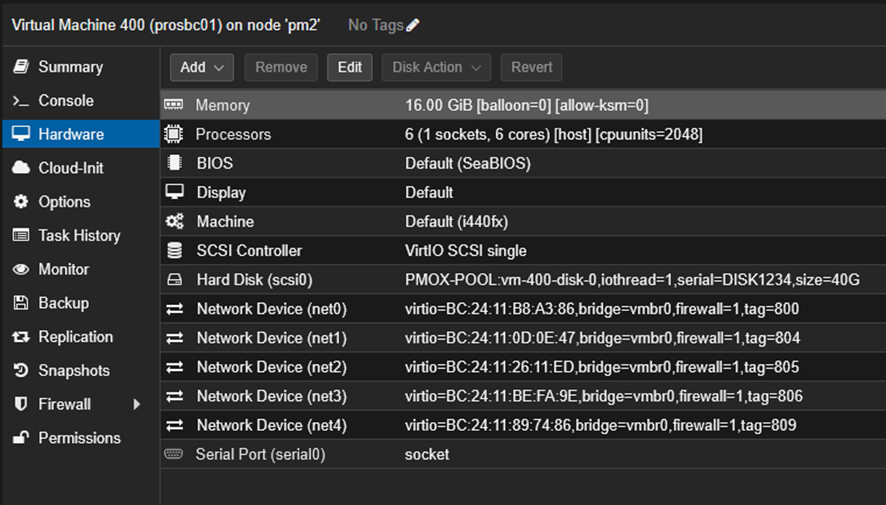
In annex you can find my alarms and VM configuration on Proxmox.
Thanks,
David Costa
Hi David,
Can you download the TBreport and for us?
Upload it here: https://tbsupport.wetransfer.com *(File Upload)
*
-Support
Hi Dave,
I already upload the TBReport.
Thanks,
David Costa
Hi David,
I don’t see any scheduling errors in the tbreport uploaded on feb 7th. this is a bit strange, the tbreport seems a bit light to me. Like a new build, or it’s only capturing a small timeframe.
Scheduling problem alarms normaly point to not having cpu resources for calling the next instruction. Can you elaborate more about your proxmox setup and tell us if it might be you are sharing resources on the same system with other applciations besides the ProSBC?
If you have the exact error, please send it here. Thanks!
-Support
Hi Dave,
The TBreport is lite because I’m still testing ProSBC and it yet doesn’t have activity, only my test calls.
The alarms also appear with no activity on ProSBC, zero calls on ProSBC.
The Proxmox cluster is made of 3 Proxmox servers, is also new and doesn’t have load. To better debug I moved all the VMs to other servers on the cluster and the Proxmox server where I have the ProSBC there’s no other VMs running.
Where can I see/found the exact error?
On webportal I see the following errors:
Thanks,
David Costa
Hi David,
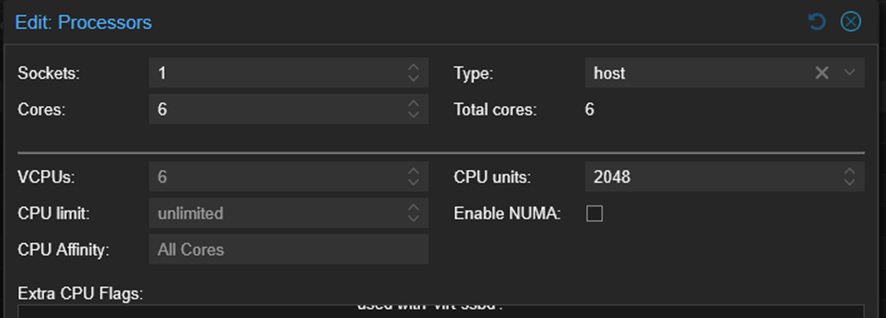
It’s difficult for me to see this “edit processors” image. Can you confirm if the NUMA box is checked on your proxmox settings? If enabled please disable. Then let me know if you still are encountering same errors.
Thanks,
Support
Also you can send me output so we can confirm. cat /etc/pve/qemu-server/VM-ID
Your NUMA should be set to 0.
Hi Dave,
NUMA was already set to 0.
We have on CPU per ProSBC interface, plus one CPU.
You can confirm in the annex files. I post the /etc/pve/qemu-server/400.conf and the same data with export qm config 400 > vm400.conf
vm.zip (1.5 KB)
You can find below some hardware specifications of our Proxmox servers:
Component FW Version
Intel(R) Ethernet 10G 2P X520 Adapter - A0:36:9F:26:8F:8C 15.0.28
Intel(R) Ethernet 10G 2P X520 Adapter - A0:36:9F:26:8F:8E 15.0.28
Component FW Version
Intel(R) Ethernet 10G 4P X550/I350 rNDC - E4:43:4B:29:A2:50 24.0.5
Intel(R) Ethernet 10G 4P X550/I350 rNDC - E4:43:4B:29:A2:51 24.0.5
Intel(R) Gigabit 4P X550/I350 rNDC - E4:43:4B:29:A2:52 24.0.5
Intel(R) Gigabit 4P X550/I350 rNDC - E4:43:4B:29:A2:53 24.0.5
Thanks,
David Costa
Hey David,
Let’s try something. Can you ssh into your ProSBC?
lsmod | grep balloon
If you get a return that indicates virtio_balloon this indicates to me you are sharing ram with the host. Go into the proxmox settings and set ballooning off. Then restart the sbc and tell me if you have any schedule errors.
btw: How much does RAM does the host machine have?
Cheers,
Support
Hey Dave,
The host machine has 384GB.
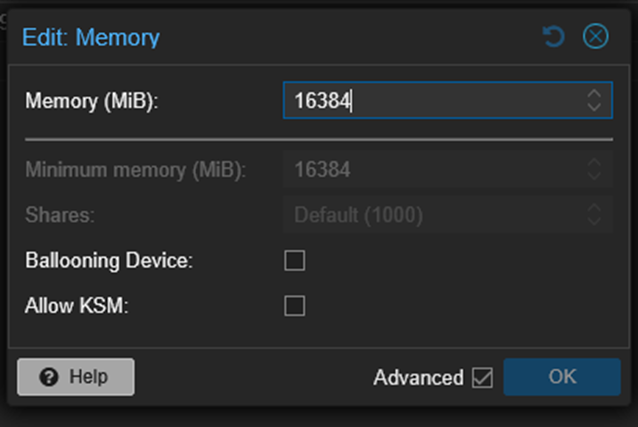
You were right, we had ballooning active.
[root@prosbc01 ~]# lsmod | grep balloon
virtio_balloon 18015 0
virtio_ring 22991 5 virtio_net,virtio_pci,virtio_balloon,virtio_console,virtio_scsi
virtio 14959 5 virtio_net,virtio_pci,virtio_balloon,virtio_console,virtio_scsi
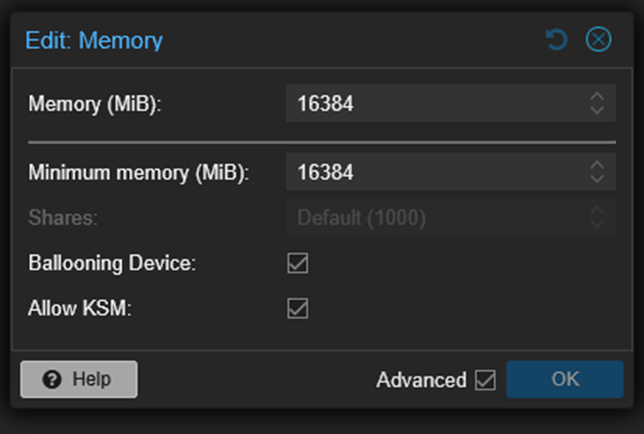
We deactivate the ballooning.
Should we also disable “Allow KSM”?
After disabling ballooning, the ProSBC license got invalid.
How can we generate a new license and if we had the system in production how could we generate a license in an emergency?
What can invalidate the licensees that we should be aware?
Thanks,
David Costa
David,
paste and copy the seed in an email to me. i will reset the seed.
seed is found in your packages and license link in the gui.
thanks
Hi David,
Yes, we recommend you disable “KSM” too. Let us know if this solves the problems and the alarms go away after you reset your license and reboot.
Thanks,
Support
Hi David,
I need your product key too. I was unable to find your company information in our dashboard. Then I can reset the seed for you.
Cheers,
Dave
Hi Dave,
I already sent the Product key and License seed by message.
Thanks,
David Costa
Hi Dave,
The a “Scheduling problem sbc list” alarm persist.
Below you can see actual VM configuration.
Thanks,
David Costa
Hi Dave,
Any update on this subject?
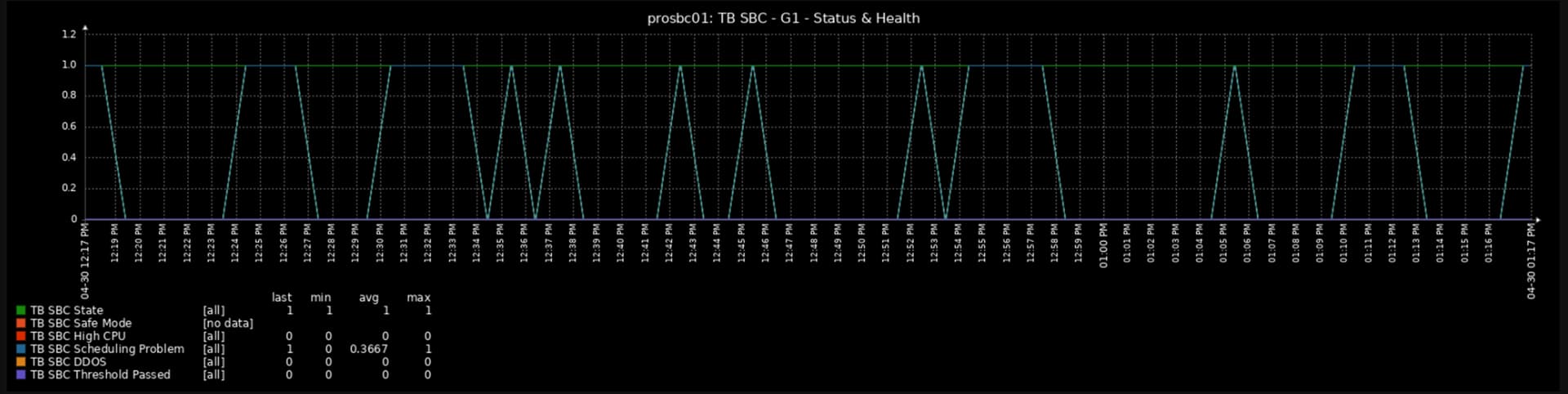
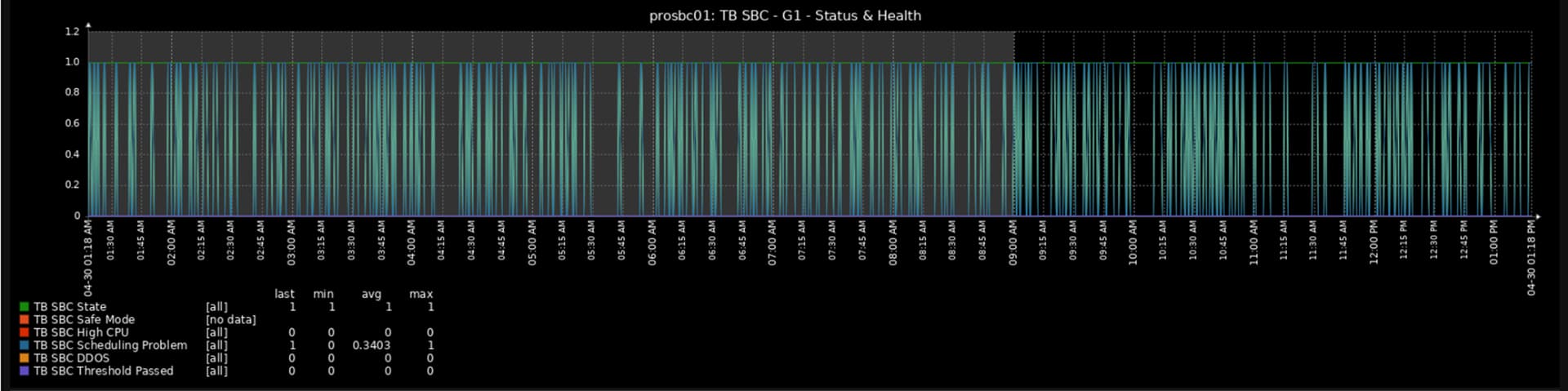
Below you can see the graphs of “Scheduling problem sbc list” for 1h and 12h of monitoring.
Thanks,
David Costa
Hi Dave,
Any update on this subject?
Am I missing something?
Is this alarm normal in a Idle state?
Thanks,
David Costa