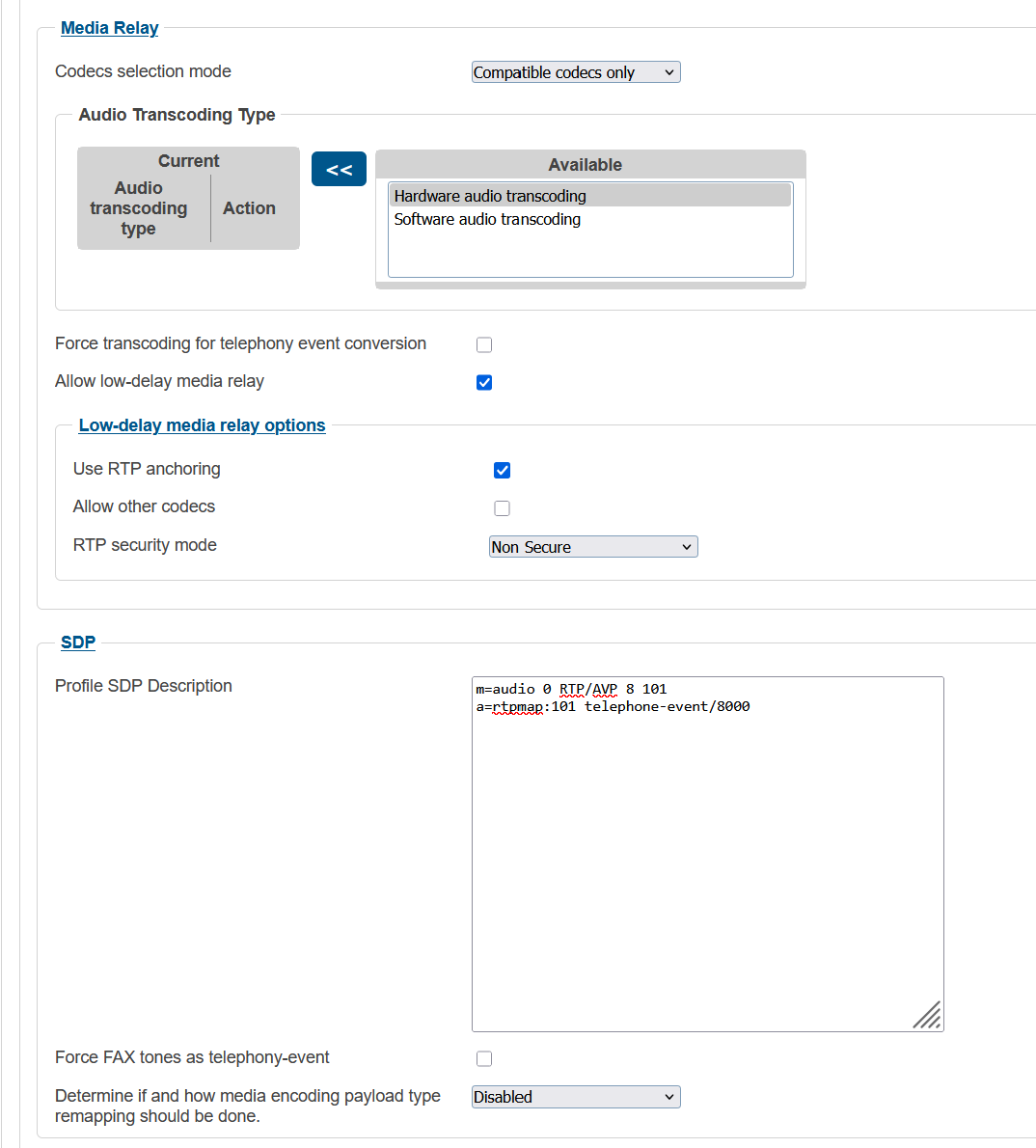
I already tested with both Codecs selection mode = Compatible codecs only and mode=Active codec only, but without success. Codecs from incoming leg are being passed to outgoing leg
Please clarify “Active codec only: Keep only the active codec, which prevent any of the two legs to change codec later during the call.” I thought it only offer the codec if it was present on Profile SDP Description?
In some calls if the CLEARMODE codec goes on the offer, calls are rejected. How can I force SDP codecs offer to the Profile SDP Description?
I was just dealing with a case where the Codec selection mode, set to Active codec only fixed for me.
From my observation, it looks like this controls the SDP codec order within a RE-INVITE context. When I had the Compatible codecs selected it listed compatible codecs within the SDP of the RE-INVITE, which broke audio in my case. Active Codec only removed the other compatible codecs, and only listed the previously negotiated codec, removing the ability of a mid dialog media re-negotiation.
However, based on your description, it sounds like your problem occurs during the initial call setup when Clearmode is present. If that’s the case, I’m not sure Codec Selection Mode would affect the behavior, as my issue was specifically related to SDP generated in a mid-dialog re-INVITE context rather than the initial offer/answer exchange.
But have you tried to set the “Use Senders codec order” in the SDP Combine options ?
You are right, my problem occurs during the initial call setup when Clearmode is present.
Yes, I tried to set the “Use Senders codec order” in the SDP Combine options and had no effect. Clearmode was also present.
Moreover, I have tried combinations of Codecs selection mode=Compatible codecs only and Active codec only with and without “Use Senders codec order”. All with same behavior, clearmode codec present on the offer.
I did some tests on my own network, I injected CLEARMODE in to the SDP on an outgoing call via Opensips.
I was able to verify this behaviour, I can see CLEARMODE passed to the outbound leg, even though my SDP Profile does not list that codec, in the SDP Description.
I did try to find out wether the SDP body is accessible via the scriptable routing engine, but it does seem like that the SDP body is not accessible.
Maybe this can be raised with support as a possible bug ?
Codecs selection mode: Compatible codecs only Audio Transcoding Type: (empty — nothing in Current) Allow low-delay media relay: enabled Allow other codecs: unchecked SDP Description: only the codecs you want (no CLEARMODE)
I made more tests and the issue happens when we have the CLEARMODE codec on the A-leg offer.
If the CLEARMODE isn’t present on the Aleg offer, ProSBC is filtering the codecs with SDP profile.
For example I made two tests with same profile.
[SDP profile]
Yes. This is expected behavior. CLEARMODE is a passthrough codec — when it’s present in the A-leg offer, the media path is bypassed (no RTP termination on the ProSBC), so SDP profile filtering does not apply. The offer goes through as-is.
When CLEARMODE is absent, the ProSBC terminates RTP and can apply the SDP codec filtering as configured.